What to prepare before customising your Showit website template
I'm Ash
I help visionaries create luxury
brands & websites with purpose.
Buying a Showit website template is such an exciting step.
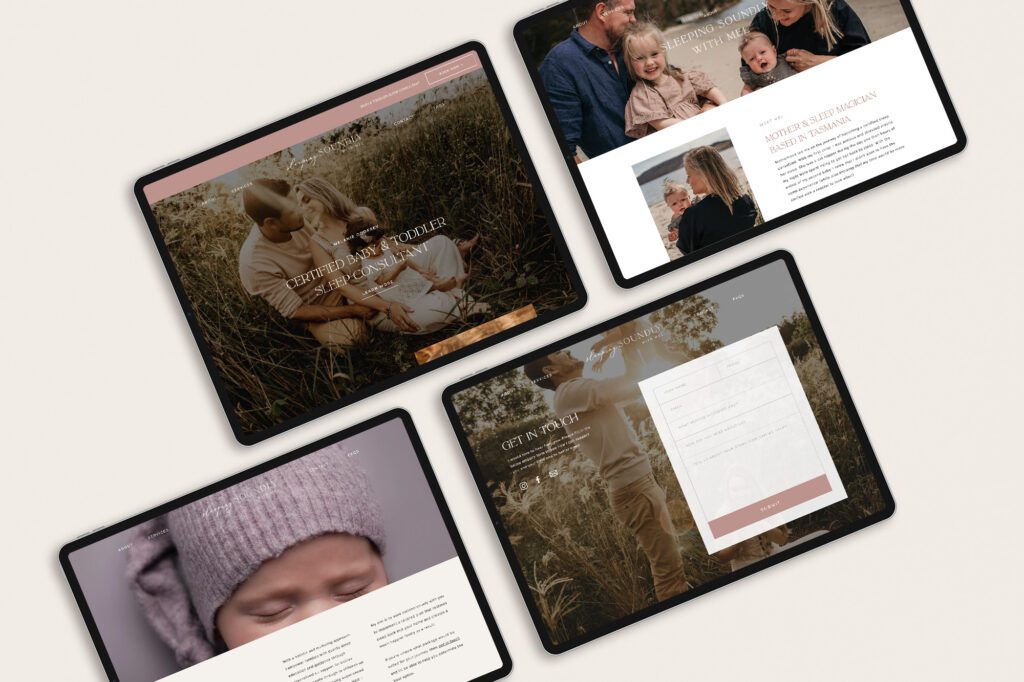
It gives you the structure, design direction and beautiful foundation to bring your website to life without starting from a blank page. But before you dive into changing colours, swapping fonts and uploading images, there is one step that will make the entire process feel so much easier.
Preparing your content first.
Your template gives you the design. Your content is what makes it feel like you.
When your words, images and brand assets are ready before you begin, customising your website feels less overwhelming and far more intentional. You can move through the process with clarity instead of making decisions as you go.
Here is what to prepare before customising your Showit website template.
1. Your brand identity
Your brand identity is the visual foundation of your website.
Before you begin customising your template, gather your key brand assets in one place. This might include your logo files, colour palette, typography, brand imagery and any brand guidelines you already have.
Having these ready will help your website feel cohesive from the very beginning. Instead of guessing which colours to use or choosing fonts in the moment, you can apply your existing brand direction with confidence.
At a minimum, prepare:
Your primary logo
Any secondary logos or submarks
Your brand colour codes
Your heading and body fonts
Any brand patterns, icons or textures
Your brand style guide, if you have one
If you do not have a full brand identity yet, keep things simple. Choose a refined colour palette, one heading font, one body font and a consistent image style. The goal is not to overcomplicate the process — it is to create a visual direction that feels considered and consistent.
2. Your website images
Beautiful imagery can completely transform a website template.
The same template can feel calm and minimal, bold and editorial, soft and romantic, or polished and professional depending on the imagery you choose.
Before you begin uploading images into Showit, create a folder with all of the photos you may want to use across your website. This could include brand photography, headshots, product images, portfolio images, detail shots, behind-the-scenes images or styled stock photography.
Try to choose images that feel consistent in tone, lighting and colour. If your images feel mismatched, your website may feel less polished, even if the template itself is beautifully designed.
A few things to prepare:
Hero images
About page images
Service or offer images
Portfolio images
Blog images
Contact page image
Any background or detail images
It is also helpful to rename your image files before uploading them. Instead of using file names like IMG_0045.jpg, use descriptive names such as luxury-brand-designer-australia.jpg or showit-website-template-for-creatives.jpg.
This helps keep your files organised and can also support your website’s SEO.
3. Your website copy
Your website words are what guide people through your brand experience.
A beautiful design may capture attention, but your copy is what helps visitors understand what you do, who you help, why it matters and what to do next.
Before customising your Showit template, prepare the copy for each main page of your website.
Start with:
Home page
About page
Services page
Portfolio or work page
Contact page
Blog page, if included
FAQs
Testimonials
Call-to-action button text
You do not need every word to be perfect before you begin, but having a strong draft will help you customise the template with more ease.
If you are writing your own website copy, focus on clarity first. Your audience should be able to quickly understand what you offer, who it is for and how to take the next step.
4. Your offers or services
Your services page is one of the most important pages on your website.
Before customising your template, get clear on how you want to present your offers. This will help you decide which sections to keep, duplicate, remove or adjust inside the template.
For each offer, prepare:
The offer name
A short description
Who it is for
What is included
The main benefits
The investment or starting price, if you want to show it
A clear next step
If you offer multiple services, try to avoid overwhelming your visitors with too many choices. Group your offers clearly and guide people toward the best next step.
Your website should make the decision feel easier, not more complicated.
5. Your testimonials
Testimonials are one of the easiest ways to build trust on your website.
Before you begin customising your template, gather your strongest client reviews in one document. Choose testimonials that speak to the transformation, the experience of working with you and the result your client received.
You do not always need to use the full testimonial. In many cases, a short, powerful excerpt is more effective.
Look for lines that mention:
How the client felt before working with you
The quality of the experience
The transformation or result
How the final brand or website made them feel
Why they would recommend you
If you do not have testimonials yet, you can still build trust by sharing your process, values, experience, portfolio examples or frequently asked questions.
6. Your calls to action
A beautiful website still needs to guide people clearly.
Before customising your template, decide what you want visitors to do on each page.
Do you want them to enquire?
Book a call?
Browse your services?
Join your email list?
Download a guide?
View your portfolio?
Your primary call to action should appear throughout your site in a way that feels natural and easy to follow.
For example:
Enquire to work together
Book a clarity call
Explore the collection
View the experience
Download the free guide
Browse the templates
Clear calls to action help visitors move through your website with confidence.
7. Your free resource or email list offer
Not every visitor will be ready to enquire or buy the first time they land on your website.
This is why a free resource can be such a valuable part of your website strategy. It gives people a gentle next step while allowing you to stay connected through email.
For a Showit template buyer, a free website content guide is a perfect fit. It helps them prepare their copy, images and brand assets before customising their template.
It also builds trust before they purchase, because it shows them you understand what they need to feel prepared.
8. Your website goals
Before you begin customising your template, take a moment to think about what your website actually needs to do.
A website for a service provider will have different goals than a website for a photographer, designer, coach, wellness practitioner or product-based brand.
Ask yourself:
What do I want people to understand quickly?
What action do I want them to take?
What questions do they need answered before they enquire or buy?
What feeling do I want the website to create?
What parts of my business need the most visibility?
When you know your website goals, you can customise your template with more intention.
Your template is the foundation. Your content brings it to life.
A Showit website template gives you a beautiful, strategic starting point.
But the magic happens when your brand, imagery, copy and offers are thoughtfully woven into the design.
When you prepare your content first, the process becomes lighter, clearer and more enjoyable. You are no longer trying to build your website and make every decision at the same time. You are simply bringing your already-prepared vision into a beautiful framework.
If you are preparing to customise your Showit template, download the free Website Content Guide before you begin.
It will help you organise your brand assets, prepare your website copy and gather everything you need to launch with more ease.
Download the free Website Content Guide
Prepare your content before customising your Showit template.
The Journal
Free guide: How to Craft a Cohesive Brand

BONUS
freebie
A cohesive brand doesn't just look beautiful. It signals the right things to the right people, consistently, everywhere they find you. This free guide gives you the framework to bring it all together.


© White Ink Creative 2019-2026 |